✅ Issues getting Polotno SDK working out of the box, following quick start
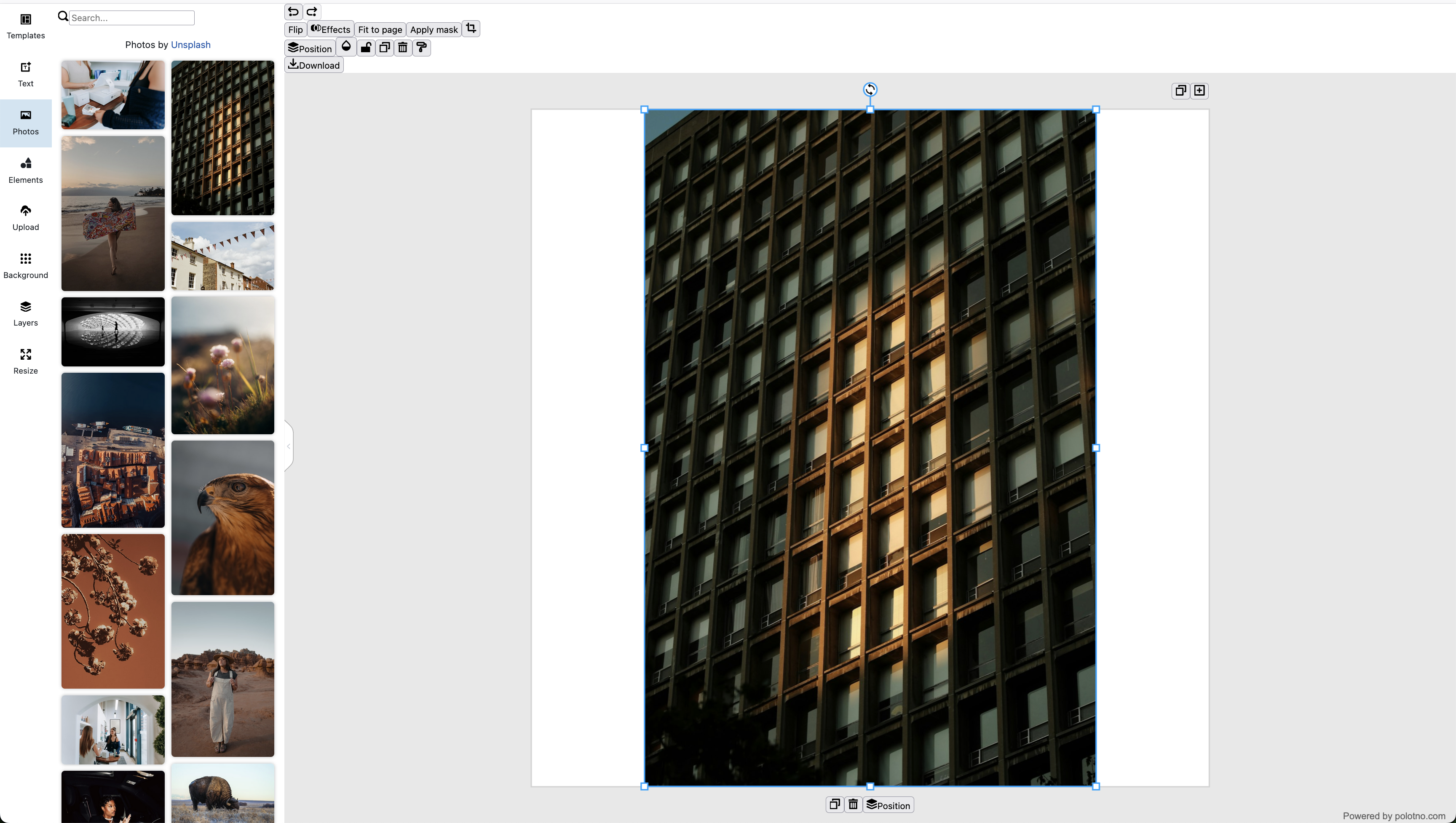
Hey, I’m following the #Overview for React and my editor looks wrong:
The toolbar is smushed in the top left corner, and tooltips are inconsistent and buggy.
I have added all of the domains I’m testing on, and I’m on React 18.
I’m not a React expert, but I expected to be usable out of the box.
Here’s a snippet of my application:
// App.tsx
<Route path="/studio" element={
<ProtectedRoute>
<Studio />
</ProtectedRoute>
} />
// Studio.tsx
import { useDocumentTitle } from '@/hooks/useDocumentTitle'
import { Editor } from '@/components/PolotnoEditor'
export function Studio() {
useDocumentTitle('Design Studio')
return <Editor />
}
import { PolotnoContainer, SidePanelWrap, WorkspaceWrap } from 'polotno';
import { Toolbar } from 'polotno/toolbar/toolbar';
import { PagesTimeline } from 'polotno/pages-timeline';
import { ZoomButtons } from 'polotno/toolbar/zoom-buttons';
import { SidePanel } from 'polotno/side-panel';
import { Workspace } from 'polotno/canvas/workspace';
import '@blueprintjs/core/lib/css/blueprint.css';
import { createStore } from 'polotno/model/store';
const store = createStore({
key: 'my_key_here',
// you can hide back-link on a paid license
// but it will be good if you can keep it for Polotno project support
showCredit: true,
});
store.addPage();
export const Editor = () => {
return (
<PolotnoContainer style={{ width: '100vw', height: '100vh' }}>
<SidePanelWrap>
<SidePanel store={store} />
</SidePanelWrap>
<WorkspaceWrap>
<Toolbar store={store} downloadButtonEnabled />
<Workspace store={store} />
<ZoomButtons store={store} />
<PagesTimeline store={store} />
</WorkspaceWrap>
</PolotnoContainer>
);
};